
CSV viewer
for Mac
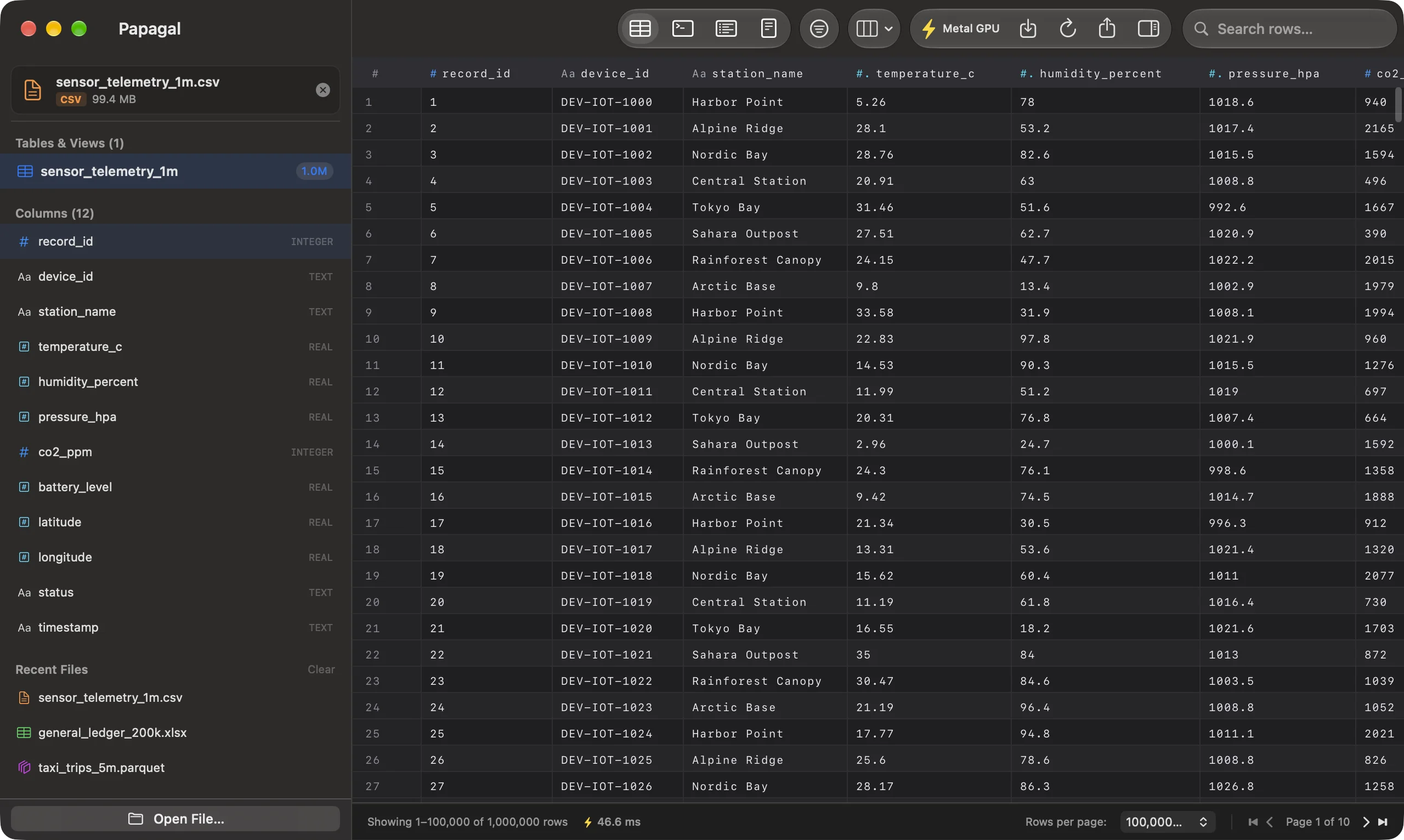
Numbers and Excel want to import a CSV and guess at it. Papagal just opens it: the delimiter and text encoding are detected, the file streams in on every core, and you get a grid you can filter, sort and run SQL on.
- delimiters
- comma, semicolon, tab, pipe
- encodings
- UTF-8, UTF-16, Windows-1252
- edit
- Pro, saved in the same format
- quick look
- yes, the first rows
No import wizard
Papagal looks at the file and picks the delimiter that appears on every record: comma, semicolon, tab or pipe. That includes the semicolon-separated .csv files Excel writes in most European locales. Quoted fields that span several lines are read as one record.
Text is read as UTF-8 (with or without a BOM), as UTF-16 when a BOM says so, which is what Excel’s “Unicode Text” export produces, and as Windows-1252 for older single-byte files. A row with more fields than the header gets extra columns instead of losing data.
Large files, filters and SQL
A large CSV streams in on every core instead of freezing the window. Once it is open, stack filters per column, sort, resize and hide columns, and the layout is remembered for that file.
The SQL console works on a CSV too: query it like a table, with GROUP BY, ORDER BY and the rest.
Edit and save without reformatting
With Pro, double-click a cell, type, and press ⌘S. Papagal writes the file back with the delimiter, line endings and text encoding it was opened with, and only the cells you touched change, down to the original number formatting. Pro also exports to TSV, JSON, Markdown or SQL INSERT statements.
Free, or $15 once
The free version is the full viewer with 1,000 rows per page, for every format. Pro is $15 one time, with no subscription, on up to 3 Macs: it adds 100,000-row pages, the Metal grid, editing and saving, exports, and SQL tabs with history. Papagal runs on macOS 13 Ventura or later, Apple Silicon and Intel. Everything is parsed and queried on your Mac; files are never uploaded (see security).
Papagal also opens SQLite, Parquet and Excel files, plus JSON, JSON Lines and .sql dumps. The full list is on the home page.
Papagal.dmg · 23 MB · macOS 13 Ventura or later