
SQLite viewer
for Mac
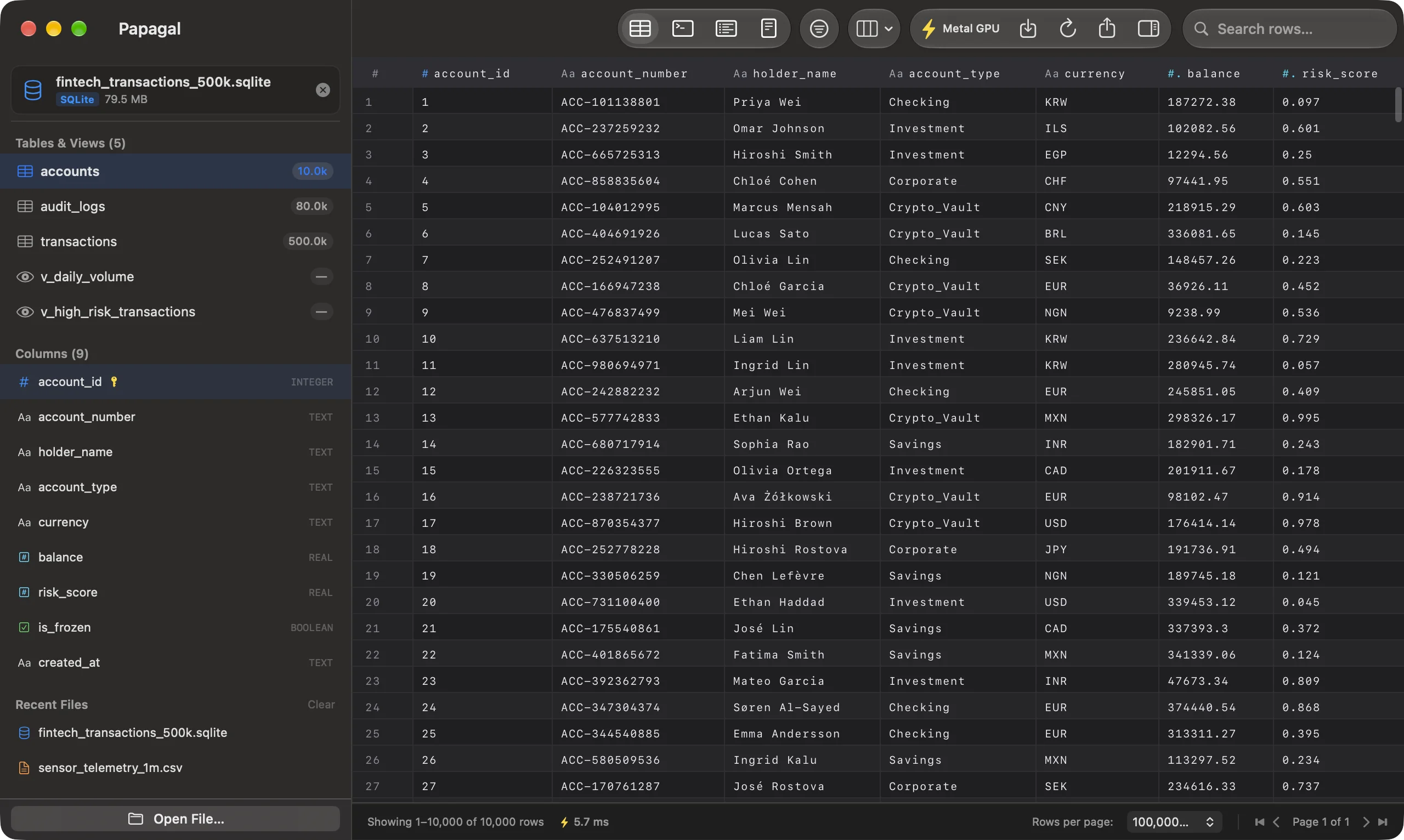
Papagal opens .sqlite and .db files the way Preview opens a PDF: double-click, and every table and view is there in a grid you can scroll, filter, sort and query. No server, no connection dialog, no Electron.
- opens as
- every table and view
- edit
- Pro, written straight to the file
- sql
- full SQLite, PRAGMA included
- quick look
- yes, press Space in Finder
Open a database without setting anything up
Double-click a database, drag it onto the Dock icon, or press Space in Finder for a Quick Look preview. Papagal lists every table and view in the file. A file with an unfamiliar extension is still recognised by its SQLite format 3 header.
Row counts are taken when you open a table, not when you open the file, so a multi-gigabyte database doesn’t stall on a full scan before you see anything. Databases in WAL mode open as they are, and a file on a read-only volume or one that another app has locked opens read-only instead of failing.
Filter, sort and run SQL
Stack conditions per column (contains, =, >, starts with, is empty…). They run in SQLite itself, so counts, pages and exports all agree. Drag a column separator to resize, double-click it to fit, hide the columns you don’t need, and Papagal remembers the layout per file.
The SQL console takes real SQLite: your LIMIT stays your LIMIT, PRAGMA works, and a script with several statements runs them in order and shows the last result. Errors say what went wrong.
Edit cells and save to the file
With Pro, double-click a cell, type, and press ⌘S. Each edit targets exactly one row, and changes are written straight to the database. Pro also exports whole tables to CSV, TSV, JSON, Markdown or SQL INSERT statements, streamed to disk with a progress bar and a cancel button.
Free, or $15 once
The free version is the full viewer with 1,000 rows per page, for every format. Pro is $15 one time, with no subscription, on up to 3 Macs: it adds 100,000-row pages, the Metal grid, editing and saving, exports, and SQL tabs with history. Papagal runs on macOS 13 Ventura or later, Apple Silicon and Intel. Everything is parsed and queried on your Mac; files are never uploaded (see security).
Papagal also opens Parquet, CSV and Excel files, plus JSON, JSON Lines and .sql dumps. The full list is on the home page.
Papagal.dmg · 23 MB · macOS 13 Ventura or later