
Parquet viewer
for Mac
Looking inside a .parquet file usually means opening a notebook and typing pandas. Papagal opens it with a double-click, queries it in place with an embedded engine, and shows the rows in a native grid.
- opens as
- the file, queried in place
- memory
- never loaded whole
- sql
- yes, on the file directly
- edit
- read-only, export with Pro
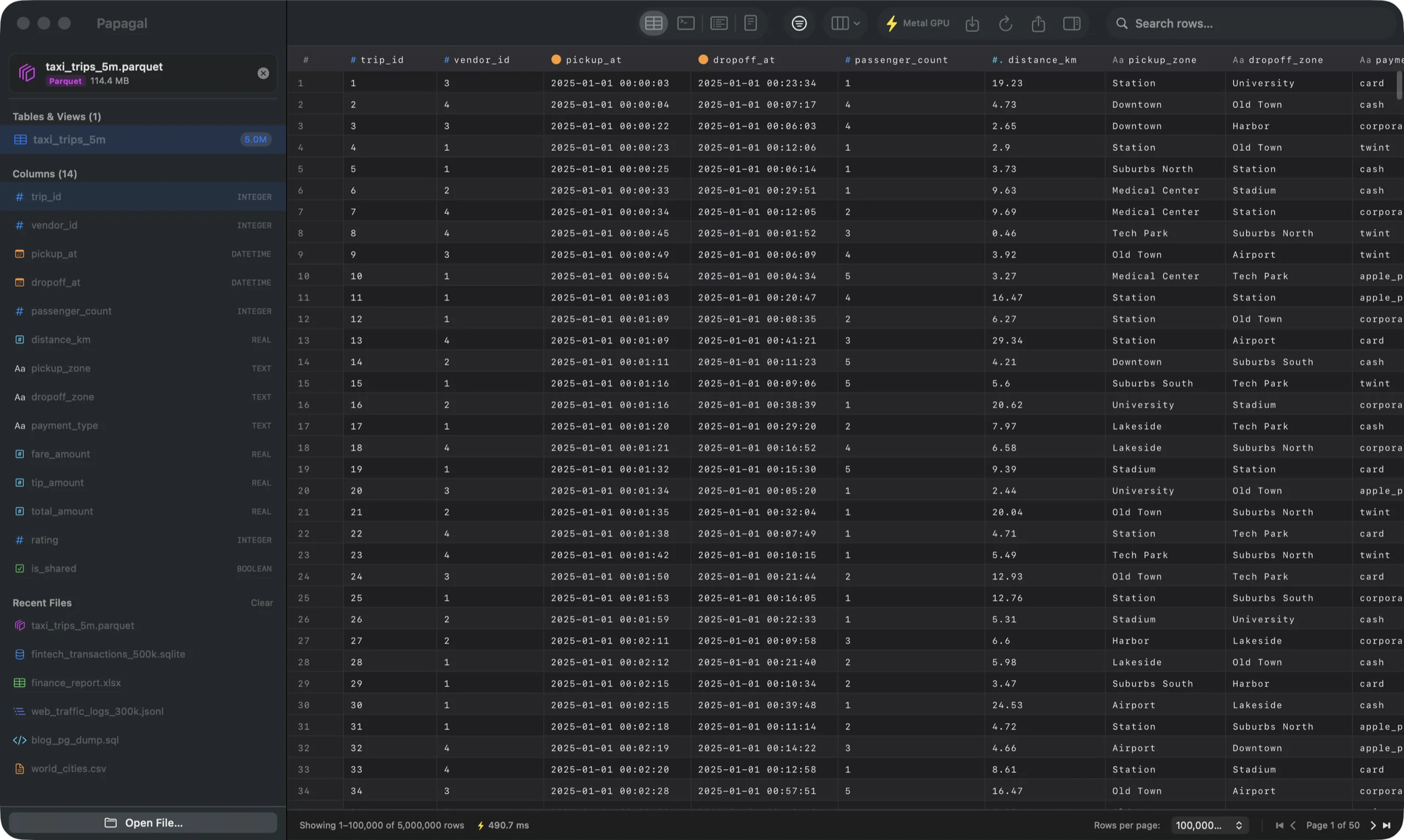
Big files open straight away
Papagal reads Parquet through an embedded DuckDB engine. Column selection, paging and sorting are pushed into the scan, so the file is queried where it sits instead of being loaded into memory. That is why the 5,000,000-row file above opens straight away. Pages are found by row number, so the last page doesn’t have to decode everything before it.
Files with an unusual extension are recognised by their PAR1 header. In Finder, Quick Look summarises a Parquet file’s columns and size without opening the app.
Types shown as they are
Integers, doubles and booleans come through exactly. Dates and timestamps are shown as dates, and timestamps with a time zone are shown in UTC rather than whatever zone your Mac is in. Wide decimals, huge integers, blobs and nested columns (lists, structs, maps) are shown as text, so a wide decimal isn’t rounded to fit a number type.
SQL on a Parquet file
Open the SQL console and query the file by its table name: aggregates, GROUP BY, ORDER BY, whatever DuckDB accepts. Column filters run in the engine too, so counts and pages match what you asked for.
Parquet is read-only in Papagal. With Pro you can export a table or a query result to CSV, TSV, JSON, Markdown or SQL INSERT statements.
Free, or $15 once
The free version is the full viewer with 1,000 rows per page, for every format. Pro is $15 one time, with no subscription, on up to 3 Macs: it adds 100,000-row pages, the Metal grid, editing and saving, exports, and SQL tabs with history. Papagal runs on macOS 13 Ventura or later, Apple Silicon and Intel. Everything is parsed and queried on your Mac; files are never uploaded (see security).
Papagal also opens SQLite, CSV and Excel files, plus JSON, JSON Lines and .sql dumps. The full list is on the home page.
Papagal.dmg · 23 MB · macOS 13 Ventura or later